Get the AI Mechanic app.
The app puts your Gateway PRO on your Wi-Fi or your phone hotspot over Bluetooth, in about a minute. Then ask DEX about a fault, check the battery, or ask for a specialist. Every Gateway comes with a QR code that opens this page.
Free on iPhone and iPad. Android installs straight from this page.
Android.
The Android app is ready. Until it is on Google Play, you install it straight from us: version 1.0.54, about 8 MB, for Android 7 and newer.
Download for AndroidOpen this page on the Android phone itself. Android asks you to confirm a few times because the file does not come from the Play Store: the five steps are below.
iPhone and iPad.
The app for iPhone and iPad is on the App Store, and it is free. Install it, sign in or create your free account, then choose Set up Wi-Fi on the Gateway screen.

The set-up guide
Installing on Android, step by step.
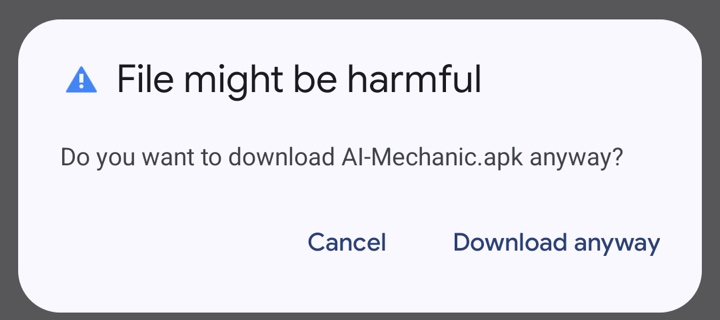
1. Tap Download anyway. Chrome says this about every app file that does not come from the Play Store.
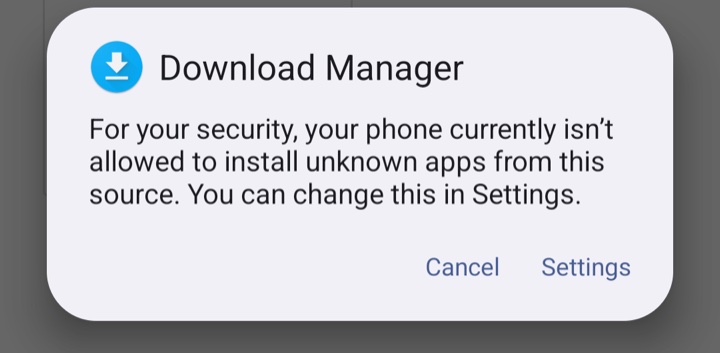
2. Open the file, then tap Settings. Tap Open when the download finishes. Android stops you once, for your safety.
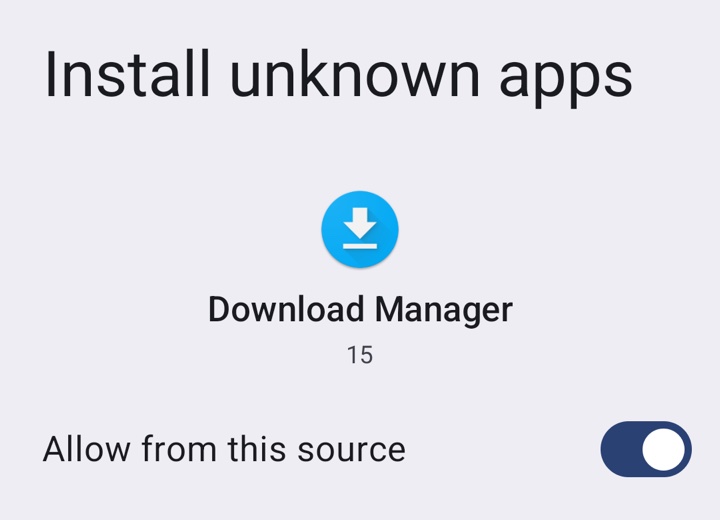
3. Switch on Allow from this source, then go back. You can switch it off again as soon as the app is installed.
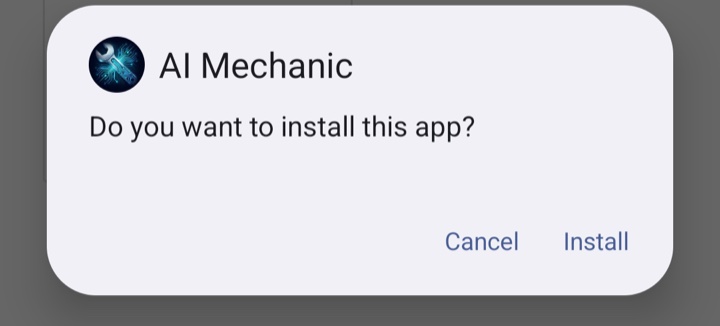
4. Tap Install. If Google Play Protect offers to scan the app first, let it.
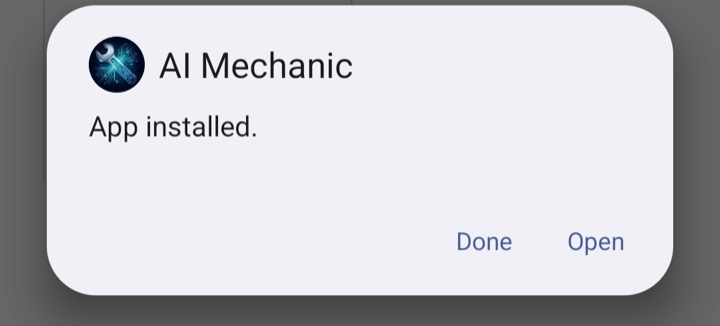
5. Tap Open. Sign in or create your free account, then choose Set up Wi-Fi on the Gateway screen.
- Updates. A copy installed this way does not update by itself. We email Gateway owners when there is a new version, and this page always has the newest one.
- When it reaches Google Play. We will tell you. You may be asked to remove this copy before installing the Play version; your account and your Gateway are not affected.
- Stuck? Message us and we will get it installed with you.

Reading this on a computer?
Point your phone's camera at the code. It opens this page on the phone: aimechanic.uk/app